FITBIT GALLERY CHANGES – NOVEMBER 28, 2026
Google has announced that starting November 28, 2026, third-party apps and clock faces can no longer be installed or updated on Fitbit smartwatches. Only apps and clock faces made by Fitbit and Google will remain in the Fitbit App Gallery.
Affected devices: Fitbit Sense, Sense 2, Versa, Versa Lite, Versa 2, Versa 3, Versa 4 and Ionic.
What does this mean for you?
- Watchfaces already installed on your watch will keep working after November 28, 2026.
- Do not delete them and do not factory reset your watch: once a third-party clock face is removed, it can no longer be reinstalled.
- Bought a watchface but haven't installed it yet? Install it from the Fitbit App Gallery and unlock it before November 28, 2026. After that date it will no longer be possible.
- No further updates or fixes can be delivered for third-party clock faces, including ours.
- Planning a new smartwatch? Our watchfaces are also available for Wear OS (Samsung Galaxy Watch, Google Pixel Watch and more).
Read the official announcement from Google | Questions? Contact our Support team.
🍂 Our new Autumn Collection is here! 🍂
Christmas Joy Premium


Price: 1.49$
Works on: Versa Versa Lite Versa 2 Versa 3 Sense
Collection: Winter Collection 2026
Download now Buy Bundles Unlock
Do you need help with this watchface? Check out the FAQ section or Contact us.
🎅 25 amazing backgrounds - tap twice the screen center to change the image or change it from watchface settings - you can disable tap twice to change from watchface settings
🎅 change background every hour - this can be disabled from the watchface settings
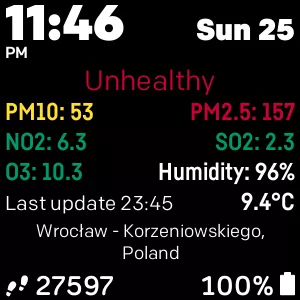
🎅 weather conditions and location
🎅 current temperature in °F or °C (depending on your settings - you can change temperature units in the watchface settings page inside the Fitbit app)
🎅 weather will be updated automatically every 30 minutes - needs location and Internet connection to work
🎅 update weather manually by tapping the temperature area on the screen
🎅 if there is any error while updating the weather, the error will be displayed instead of the location text
🎅 tutorial on how to use the watchface on first run and when changing images manually by tapping the screen center area
🎅 12 or 24H digital clock
🎅 multiple date formats - change the date format from the watchface settings
🎅 statsbar with battery, steps, bpm, resting heart rate, active zone minutes, distance, main goal and floors (except Versa Lite) - tap each stats to change it
🎅 RGB color selector for clock, date & stats - can be used in the watchface settings
🎅 transparency level for clock and stats background - can be changed from the watchface settings
🎅 24 fonts for time, date and stats - change the fonts from the watchface settings
🎅 tap bottom left or right stats to change them
🎅 date, settings and weather conditions in multiple languages
Customize the clockface the way you want it from the clockface settings page inside Fitbit app!
To use the clockface, a one time payment of 1.49$ is required. When the free trial ends, a 6 digits code will appear on your watch.
To purchase, enter the 6 digits code shown on the clockface on https://kzl.io/code. Already purchased? Unlock the watchface following the instruction from https://kzl.io/unlock.
👍 Like us on Facebook for updates & promotions https://fb.com/starwatchfaces
Enjoy!
🎅 change background every hour - this can be disabled from the watchface settings
🎅 weather conditions and location
🎅 current temperature in °F or °C (depending on your settings - you can change temperature units in the watchface settings page inside the Fitbit app)
🎅 weather will be updated automatically every 30 minutes - needs location and Internet connection to work
🎅 update weather manually by tapping the temperature area on the screen
🎅 if there is any error while updating the weather, the error will be displayed instead of the location text
🎅 tutorial on how to use the watchface on first run and when changing images manually by tapping the screen center area
🎅 12 or 24H digital clock
🎅 multiple date formats - change the date format from the watchface settings
🎅 statsbar with battery, steps, bpm, resting heart rate, active zone minutes, distance, main goal and floors (except Versa Lite) - tap each stats to change it
🎅 RGB color selector for clock, date & stats - can be used in the watchface settings
🎅 transparency level for clock and stats background - can be changed from the watchface settings
🎅 24 fonts for time, date and stats - change the fonts from the watchface settings
🎅 tap bottom left or right stats to change them
🎅 date, settings and weather conditions in multiple languages
Customize the clockface the way you want it from the clockface settings page inside Fitbit app!
To use the clockface, a one time payment of 1.49$ is required. When the free trial ends, a 6 digits code will appear on your watch.
To purchase, enter the 6 digits code shown on the clockface on https://kzl.io/code. Already purchased? Unlock the watchface following the instruction from https://kzl.io/unlock.
👍 Like us on Facebook for updates & promotions https://fb.com/starwatchfaces
Enjoy!
Features:
- 25 amazing backgrounds
- auto background changer
- temperature in °F or °C
- weather conditions
- 12/24H Time format
- RGB color selector for time, date & stats
- 24 fonts for stats
- Settings page inside Fitbit app
- Battery status
- Heart rate
- Number of steps
- Burned calories
- Active Zone Minutes
Subscribe to receive our once a month newsletter with our newest watchfaces, our latest promotions and with free coupons for premium watchfaces.
Subscribe to StarWatchfaces newsletter